
How to Create a Price Calculator for Website
Website visitors increasingly expect to get useful answers without submitting a form and waiting for a sales representative. When the price of a service or product depends on several variables, a static pricing table is often not enough. An interactive price calculator gives potential customers a faster and more transparent way to understand what they may need to pay.
A calculator can turn questions such as “How much will my project cost?” or “Which package fits my requirements?” into a guided, self-service experience. Visitors select the services, quantities, materials or features they need and receive an estimated total immediately. This reduces uncertainty while helping them understand how different choices affect the final price.
For businesses, the value goes beyond convenience. A well-designed calculator can qualify leads, collect project details and prepare customers for a more productive sales conversation. It can also reduce repetitive pricing requests, improve the consistency of estimates and reveal which options visitors select most often.
Modern no-code tools make this functionality accessible even to businesses without an in-house development team. You can build calculation rules, add conditional steps, customize the design and embed the finished tool into an existing website.
In this guide, we compare three platforms for creating an online price calculator. Each takes a different approach. The comparison will help you choose a tool based on your workflow rather than simply selecting the platform with the longest feature list.

If your pricing depends on multiple conditions or you want an interactive, conversational experience, Involve.me is the most advanced of the three. It’s not just a calculator builder – it’s a smart engagement platform.
What You Can Do:
- Conditional Logic: Ask questions that adapt dynamically (“Do you need installation?” → adds extra cost).
- Personalized Results: Show unique outcomes or discounts based on input.
- CRM Integrations: Sync data with HubSpot, Mailchimp, or Google Sheets instantly.
- Analytics Dashboard: Track conversions, engagement, and drop-off points to optimize funnel performance.
How to Create an Online Calculator with Involve.me
- Sign up at involve.me and choose “Calculator” or “Form with Logic” as your project type.
- Build steps: add questions, dropdowns, sliders, and define pricing rules for each branch.
- Apply conditional logic to personalize user paths – every selection leads to a unique result.
- Connect integrations: link your CRM, email tool, or payment processor.
- Publish and share via embed code or a dedicated landing page.
With Involve.me, you’re creating not just a calculator but a guided pricing experience. It feels interactive, personal and alive – turning what could be a cold transaction into a warm, data-driven conversation.

If you’re looking for a fast, no-frills way to create a price calculator, uCalc is an ideal starting point. It’s built for business owners who want results immediately – no coding, no complicated logic setup, just drag, drop and publish.
Key Highlights:
- Ready-Made Templates: Choose from dozens of pricing and quote templates – “Website Cost Calculator,” “Delivery Fee Estimator,” or “Mortgage Payment Planner.”
- Instant Feedback: Real-time price updates appear as users select options.
- Built-In Lead Forms: Capture names, emails and custom messages directly from the calculator.
- Cross-Platform Compatibility: Works perfectly on WordPress, Wix, Squarespace, Shopify and others.
How to Create an Online Calculator with uCalc
- Sign up on uCalc.pro and pick a template that fits your business type.
- Edit fields using the drag-and-drop builder – add sliders, dropdowns, checkboxes or custom formulas.
- Set pricing logic by defining how each option affects the total (for example, per hour or per item).
- Customize design: adjust fonts, colors and background to match your brand.
- Embed it on your website via the provided HTML code or plugin – it takes less than a minute.
You’ll get an instant, functional calculator that helps visitors self-qualify before contacting you. For freelancers or small studios, uCalc is the fastest way to turn price curiosity into actual leads.
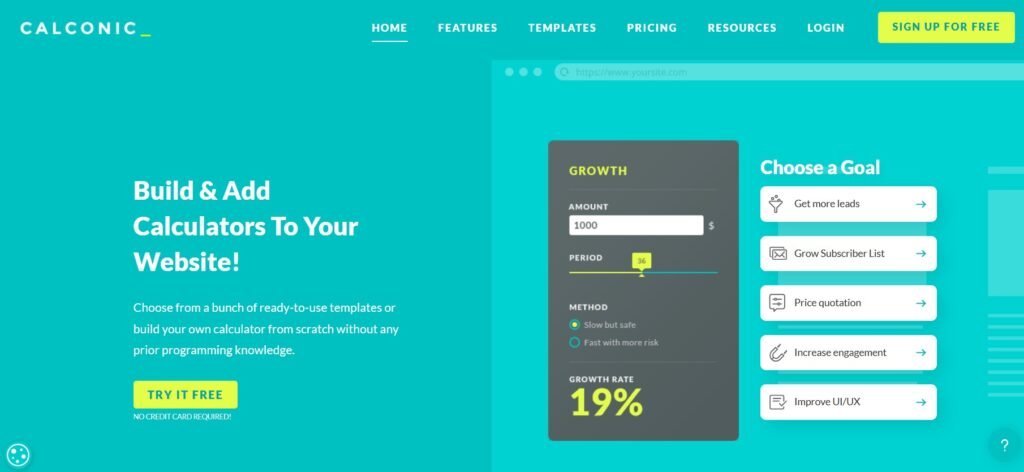
When presentation matters as much as precision, CALCONIC is your go-to solution. Its visual customization tools let your calculator blend perfectly into your website’s layout — no visual disconnect, no “embedded box” look.
Best Features:
- Advanced Formula Editor: Build pricing logic with detailed rules, conditional values, and custom currency formats.
- Pixel-Perfect Styling: Adjust borders, gradients, icons, and animations to match your brand.
- Built-In Payment Options: Connect PayPal or Stripe to let users pay right after calculation.
- Multi-Step Layouts: Create quote journeys where users progress through steps like size, materials, delivery etc.
How to Create an Online Calculator with CALCONIC
- Register on calconic.com and start with a blank layout or one of their pricing templates.
- Add fields and formulas using the intuitive visual interface – drag elements, set numeric conditions and define total sums.
- Design the look: adjust spacing, background, typography, and button styles to fit your brand palette.
- Preview and test responsiveness to ensure perfect performance on all devices.
- Embed the final calculator via JavaScript or iframe into any page of your website.
CALCONIC is ideal for agencies, design studios and service providers that want calculators to look custom-coded. The result feels native, elegant and conversion-ready – just like any professional UI element.
Choosing the Right Tool
The best calculator builder is the one that matches the way your business prices its work and handles incoming leads. Before selecting a platform, define what the calculator needs to accomplish.
A basic estimator may only need a few checkboxes, quantity fields and a total. A more advanced tool may require conditional questions, package recommendations, contact collection, payment processing or integration with a CRM. Starting with this workflow makes it easier to identify which features are genuinely useful.
uCalc is a practical choice for small businesses, freelancers and service providers that want to launch a functional pricing calculator without a complicated setup. Its templates and visual builder make it suitable for quote estimators, delivery calculators, project cost forms and other common business scenarios. It is especially relevant when the main priorities are fast implementation, clear calculation logic and lead collection.
CALCONIC is better suited to businesses that need greater control over formulas and presentation. It can work well for agencies, consultants and brands that want the calculator to feel like a natural part of an existing website. It is worth considering when design flexibility, multi-step calculations or direct payment options are important.
Involve.me is the strongest fit when the calculator is part of a broader marketing funnel. Its conditional paths, personalized outcomes and integrations make it useful for businesses that want to guide visitors through several questions before showing a result or recommending a package.
Whichever platform you choose, begin with the simplest version that can answer the visitor’s main pricing question. Test every possible combination, make it clear that the result is an estimate when necessary and ensure the calculator works comfortably on mobile devices. Avoid adding fields that do not affect the result or help the sales team.
After publishing, review how people use the calculator. Look at where they abandon it, which options they select and how many completed calculations turn into enquiries or purchases. These insights can help you simplify the experience, improve package descriptions and adjust your pricing presentation.
A useful price calculator should do more than display a number. It should explain value, reduce uncertainty and help the visitor take the next logical step. When the calculation rules are clear and the experience is easy to use, the calculator becomes a practical connection between website content and the sales process.